Trim a longlist to your budget and your parcel
A small tool for the end of the cutting: it takes the finds still standing, weighs every combination against two limits you set, and tells you what to keep and why the rest went.
The trimmer
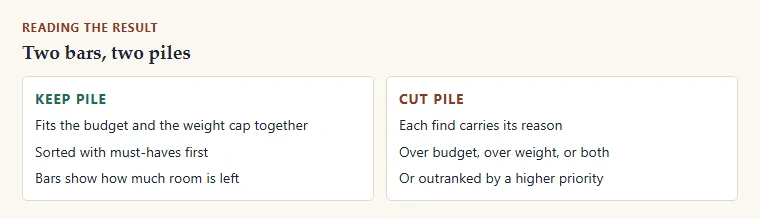
Enter the finds left on your longlist after the first two cuts, each with the price on its listing in yuan, a weight estimate in grams and how much you want it. Set a budget for the goods and a weight you are willing to post. The trimmer keeps the combination that fits both limits and matters most to you, and explains every cut. The list starts with six sample finds so you can see it work; replace them with your own.
Running the trimmer on your own longlist
Here is how to use the tool well. Start with the two limits. The budget is for the goods and their delivery to the warehouse, not the whole order, so set it below what you can really spend; postage and any agent fee come on top. The weight cap is the parcel you are prepared to pay for. If you have never posted from China before, a couple of kilos is a sensible first parcel to plan around.
Then add each find. Use the price of the option you want, not the card price. For weight, use a figure from the listing or the cover if there is one; otherwise borrow the weight of something similar you own, on a kitchen scale. Mark one or two finds as must-haves and be honest about the rest.
Press the trim button, read both piles, change a priority or a limit and run it again. The sums are instant, so try a few versions.
How the trimmer decides
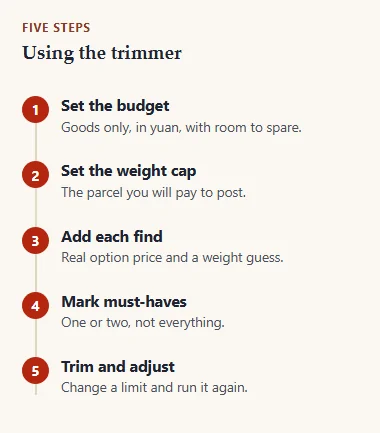
The trimmer does not take the lowest-priced finds first and stop when the money runs out. That shortcut drops heavy or pricey must-haves in favour of a pile of cheap extras. Instead it tries every possible combination of the finds you entered, up to twelve of them, throws out any combination that breaks the budget or the weight cap, and keeps the one with the highest priority score.
The scores are weighted on purpose. A must-have counts 9, a would-like 3 and an only-if-room 1, so one must-have outweighs two would-likes, and a would-like outweighs two only-if-rooms. When two combinations tie, the cheaper one wins, then the lighter one.
The sums run on your own machine, in the page itself. Nothing you type is sent anywhere or saved, so a page refresh clears it.
The sample list, trimmed by hand
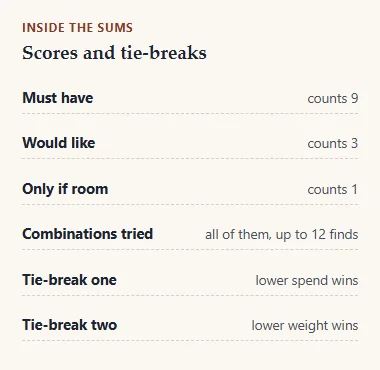
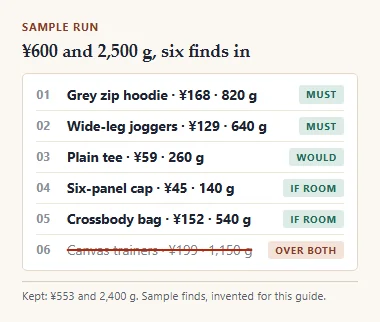
The sample list holds six invented finds: a grey zip hoodie at ¥168 and 820 g, wide-leg joggers at ¥129 and 640 g, both marked must-have; a plain tee and canvas trainers as would-likes; a cap and a crossbody bag as only-if-room. The limits are ¥600 and 2,500 g.
The two must-haves take ¥297 and 1,460 g. The trainers would be the natural next pick by score, but at 1,150 g they push the parcel past the cap, and with everything else in they break the budget too. Dropping them leaves room for the tee, the cap and the bag: ¥553 and 2,400 g in total, with five finds kept.
That is the point of the tool. The trainers were not a worse find. They were the wrong find for this parcel, and they can lead the next one.
What the trimmer cannot know
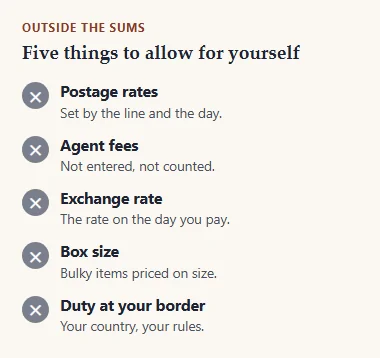
The trimmer only knows what you type. It does not know postage rates, which change with the line you pick, the size of the box and the day you ship. It does not know whether CNFans charges a fee for a given service, what exchange rate you will get, or what your own country will ask at the border.
It also cannot tell you whether a weight is right. Sellers’ weights are estimates, and the warehouse will weigh the real items once they arrive. Bulky items, such as a puffer or a boxed pair of shoes, may be charged on size rather than weight. If the trimmer leaves only a sliver of room under either cap, treat that as full and cut one more thing.